
How to Diagnose Low Conversions Using GA4 and Google Search Console
By Relish Team
Your Traffic Looks Fine. So Why Isn't Anyone Converting?
This is one of the most frustrating situations in digital business: the traffic is there, the numbers look reasonable, but the enquiries aren't coming. Nobody's booking. Nobody's filling in the form. The site looks professional. So what's broken?
The answer is almost always in the data — and two tools you likely already have access to will tell you exactly where the problem is. Google Analytics 4 shows you what happens after the click. Google Search Console shows you what happens before it. Together, they map the full journey from search to conversion and reveal precisely where visitors are leaking out.
Here's how to use them to diagnose low conversions — systematically, without guessing.
Start With the Right Question
Most business owners open their analytics and ask: how much traffic did I get? That's the wrong question.
The right questions are:
- Where is the traffic coming from — and is it the right kind?
- Which pages are getting visitors but not converting?
- Are people landing on the right page for what they searched?
- Where are they dropping off?
GA4 and Search Console answer all of these — but only if you know which reports to look at and in which order.
Step One — Use Search Console to Diagnose Pre-Click Problems
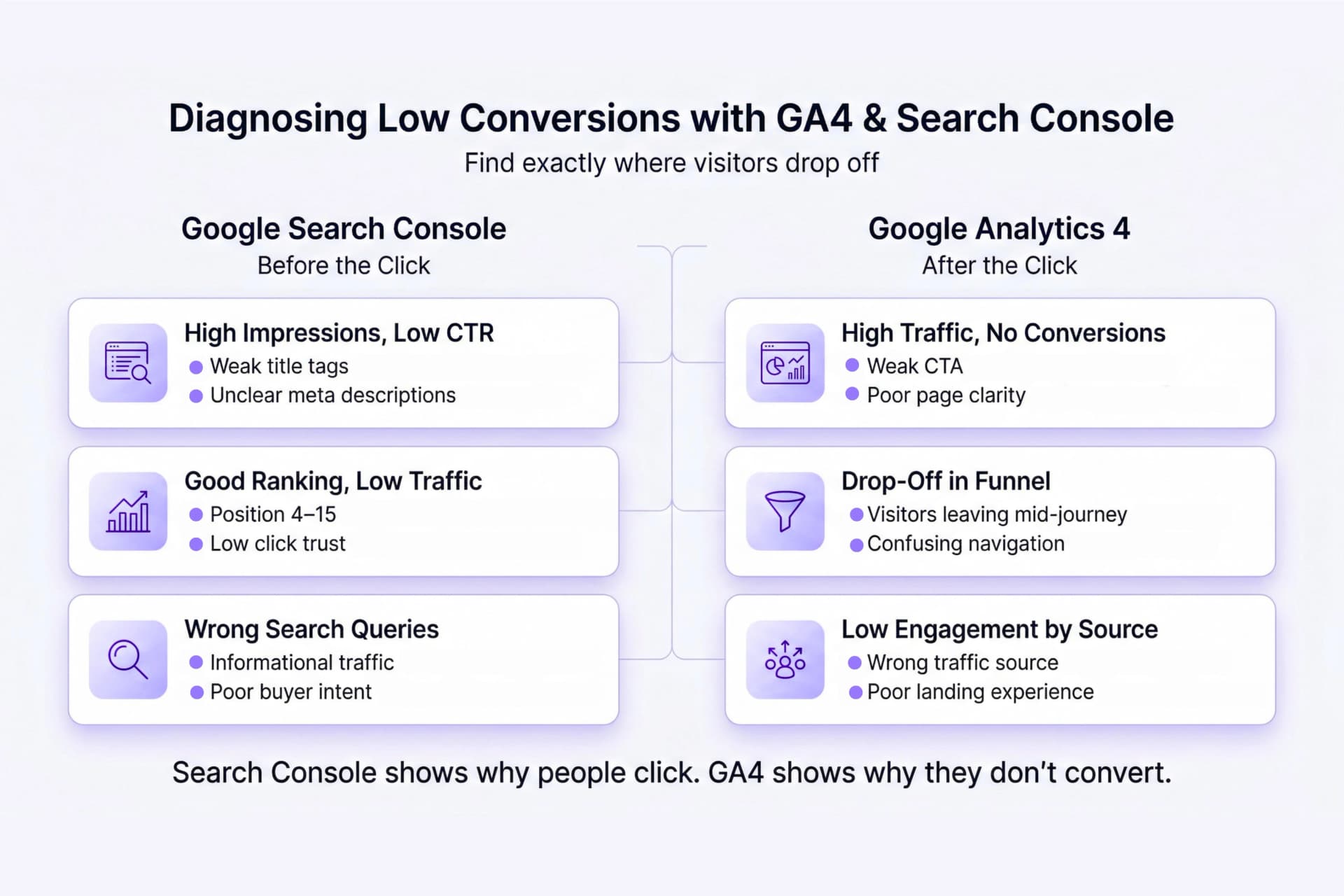
Search Console operates before the click. It tells you how your pages appear in Google's search results: how many people saw them (impressions), how many clicked (clicks), what percentage clicked (CTR), and what position you ranked in.This is where conversion problems often start — before a visitor has even arrived.
High Impressions, Low CTR
If a page is appearing in search results thousands of times but barely anyone is clicking it, the issue is your title tag or meta description. You're visible but not compelling. Your search result looks like everyone else's, or it's not clearly promising the answer to the query.
The fix here is copy, not design. Rewrite the title to address the specific pain point behind the search query. Make the meta description feel like an answer, not a summary.
Good Position, Low Traffic
If you're ranking in positions 4 to 15 for a relevant query and still not getting meaningful traffic, you're in "almost" territory — visible enough to be seen but not trusted enough to be clicked. These pages are your highest-leverage SEO opportunity: a title tag improvement or a stronger meta description can double the traffic from an existing ranking without any new content.
Check Which Queries Are Actually Sending People to You
In Search Console, go to Performance → Pages, click a specific page, then switch to the Queries tab. You'll see exactly what people searched before landing on that page.
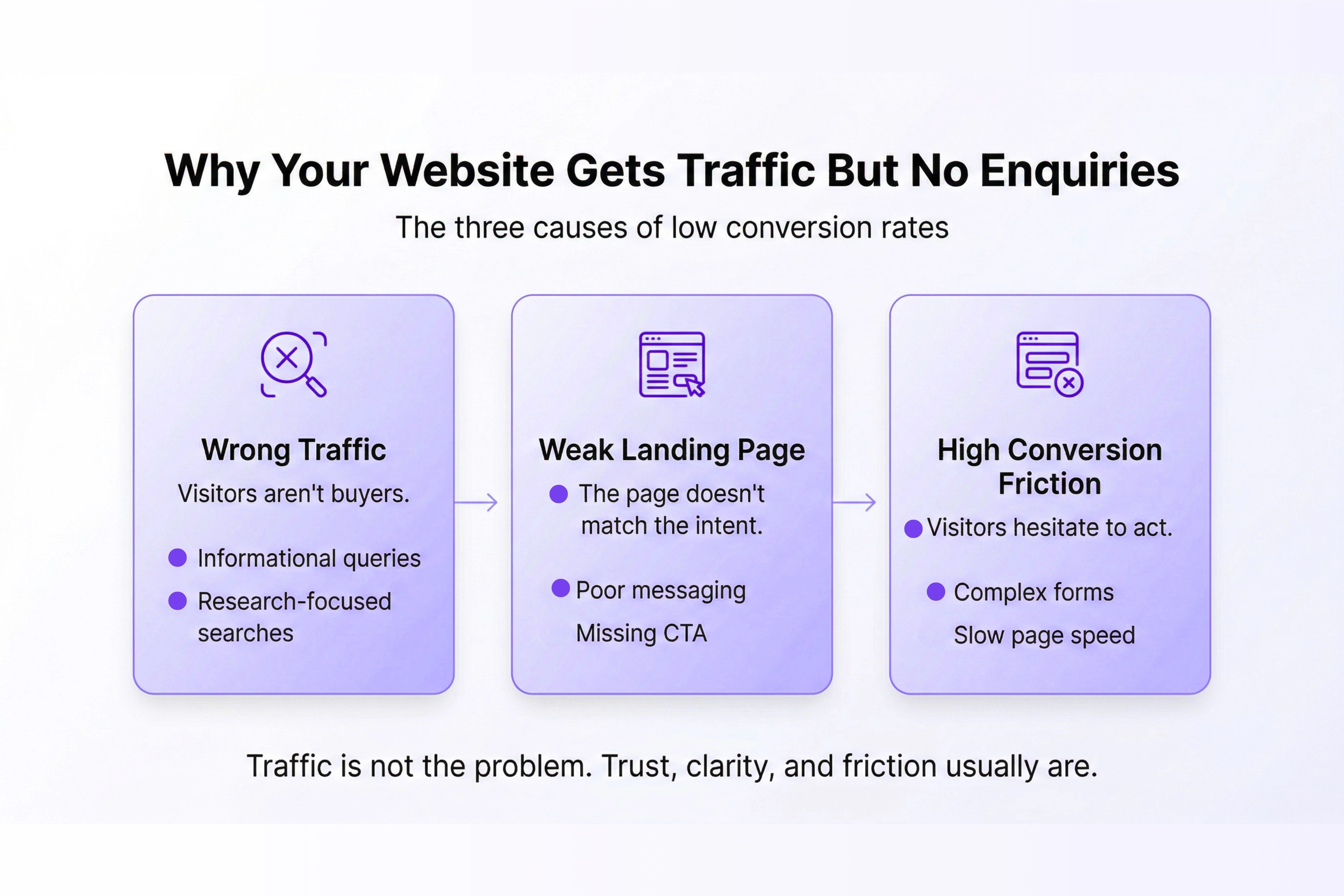
This is often revealing. If your services page is getting traffic from "what is brand strategy" instead of "brand strategy agency Dubai," you're attracting researchers, not buyers. Your page is answering the wrong question for the wrong audience — and that gap will show up as low conversions no matter how well the page is designed.
Step Two — Use GA4 to Diagnose Post-Click Problems
Search Console gets people to your site. GA4 tells you what they do once they arrive.
Find Your High-Traffic, Low-Conversion Pages
In GA4, go to Reports → Engagement → Landing Pages. Filter by organic search (Session medium = organic). Sort by sessions, then look at the Key Event Rate column next to each page.
You're looking for pages with significant traffic and a very low — or zero — key event rate. These are your conversion leaks: pages that are drawing visitors in but not moving them toward any action.
For each of those pages, ask: what is the visitor supposed to do here? Is there a clear CTA? Is it above the fold? Does the page content match what the query suggested they'd find?
Trace Where People Drop Off in the Funnel
GA4's Funnel Exploration (under Explore) lets you build a step-by-step visualisation of the journey from landing page to conversion event. This shows you the exact stage where most people leave.
If 80% of visitors drop between the landing page and the service detail page, the landing page isn't convincing them to go deeper. If they reach the contact page but don't submit the form, the form is the problem — too many fields, unclear next steps, or a CTA that feels like a commitment too early.
Each drop-off point is a specific, fixable problem. The funnel turns a vague "our conversions are low" complaint into a precise diagnosis.
Check Engagement Rate by Traffic Source
In GA4's Traffic Acquisition report, sort by Session Key Event Rate. This shows which traffic sources convert and which don't.
Organic traffic that converts well tells you your SEO is attracting the right people. Organic traffic with near-zero conversion tells you either the wrong people are arriving (keyword mismatch) or the landing experience is failing them (page problem). Paid traffic that doesn't convert is simply burning budget. Direct traffic that doesn't convert suggests your brand isn't creating enough clarity or trust with return visitors.
The source breakdown tells you where to invest and where to stop spending.
The Diagnostic You Should Run Before Changing Anything
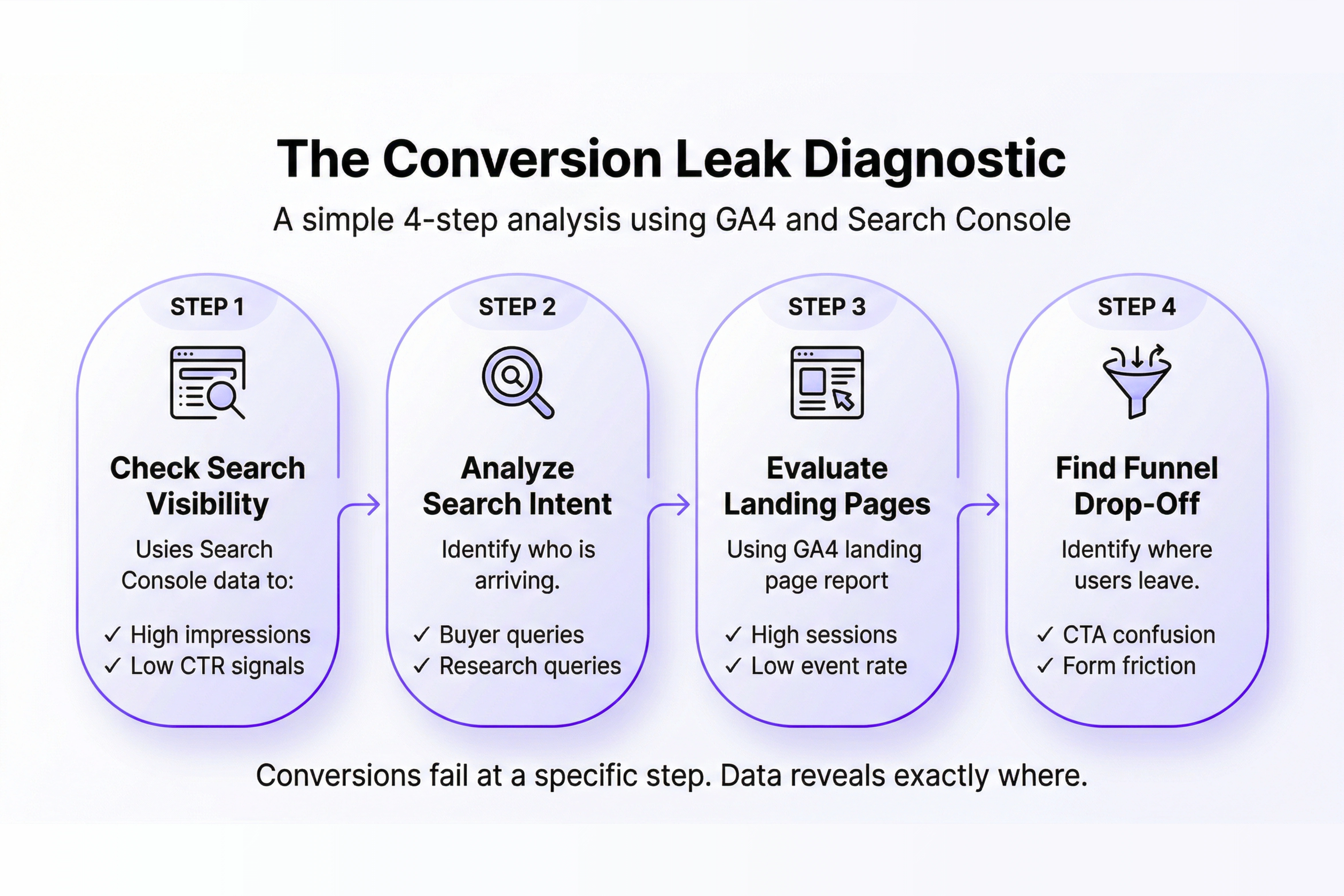
- Search Console → Performance → Pages: Find pages with high impressions but low CTR. Fix the snippet.
- Search Console → Page → Queries: Check whether the search terms match your buyer intent. If not, fix the keyword targeting.
- GA4 → Landing Pages (organic filter): Find high-traffic pages with low key event rates. These are your conversion leaks.
- GA4 → Funnel Exploration: Identify the exact step where visitors drop out. That step is your priority fix.
- GA4 → Traffic Acquisition: Identify which sources convert and which don't. Stop investing in what isn't working.
This sequence typically takes under two hours the first time. It will tell you more about your conversion problem than months of guessing.
Data Tells You Where. Design and Development Fix It.
Analytics diagnoses. It doesn't cure.
Once you know which pages are leaking conversions, the fix usually lives in one of three places: the copy isn't connecting with the right intent, the design isn't guiding visitors to the right action, or the page is technically slow or broken in a way that drives people away.
That's where strategy, design, and development intersect — which is exactly how Relish approaches web projects. If you've run the diagnostic and you know where your site is failing but need help fixing it, let's talk.
Because data without action is just a very organised way of watching revenue leave.
